
❌

Vue normale

Reçu avant avant-hiercloud

AWS Weekly Roundup: AWS Builder Center mobile apps, Amazon Connect Talent GA, Amazon Corretto 27, and more (September 21, 2026)

21 septembre 2026 à 18:11

Living in the Netherlands, I spend a fair amount of time on trains, and that is usually where I catch up on what the builder community is writing. Until now, that meant opening a laptop or squinting at a browser tab on my phone. This week I found myself scrolling through trending articles and checking a workshop from the AWS Builder Center mobile app while waiting for a delayed train, and it made those spare twenty minutes very useful. That is why I am glad to open this week with the Builder Center mobile app.

AWS Builder Center is now available as a mobile app on iOS and Android, extending the experience beyond desktop and web. Using your AWS Builder ID, you stay signed in across sessions and can browse trending articles, access 600+ AWS Skill Builder courses, and manage hands-on workshops with free sandbox environments from your mobile device. You can follow AWS Heroes, Community Builders, and User Group Leaders, check Builder Loft event calendars on the go, and receive push notifications for subscribed topics and communities. The app also supports the Wishlist feature for submitting product feedback directly to AWS teams. It is available worldwide on the Apple App Store and Google Play Store.

Builder Center also added two features this week. Polls give you a way to ask the community a question from the Home feed: write a question, add 2 to 5 answer options, set a deadline, and people vote, with results updating live and discussion happening in the comments. Votes are anonymous, and creators see aggregate counts and percentages only. Separately, the Zero to Shipped hackathon is open from September 18 to October 2. You connect your coding agent to AWS, build a real application, and ship it live on AWS for a chance to win a share of a $28,000 prize pool. Five winning projects each receive $5,000 in AWS credits and an AWS Builder swag bundle.

Last week’s launches
Here is what else happened this week.

  • Amazon Connect Talent is now generally available – Amazon Connect Talent is an AI-powered hiring solution for talent acquisition teams managing hiring at scale. Informed by decades of Amazon hiring science, it uses AI agents to conduct structured voice interviews, administer evidence-based assessments, and score candidates consistently, so recruiters can focus on final decisions. Candidates interview 24/7 from any device, and recruiters review scores, transcripts, and detailed evaluations the next morning. All candidate data is anonymized during AI evaluation, each competency is scored against a rubric with every score tied to specific evidence from the interview, and recruiters keep final decision authority over every hire. General availability includes competency-based assessments, AI-led voice interviews with adaptive questioning, a brand-customizable mobile-first candidate portal, and admin onboarding tools.
  • Amazon Corretto 27 is now generally available – Amazon Corretto 27, a Feature Release version of the no-cost, multi-platform distribution of OpenJDK, is now available for download on Linux, Windows, and macOS, with support through April 2027. Notable features include G1 as the default garbage collector across all environments (JEP 523), post-quantum hybrid key exchange for TLS 1.3 (JEP 527), compact object headers by default for a smaller memory footprint (JEP 534), and JFR in-process data redaction to remove sensitive data from Java Flight Recorder recordings before they leave the JVM (JEP 536). It also continues previews of enhanced pattern matching, structured concurrency, and lazy constants, along with the Vector API incubator.
  • Kimi K3 by Moonshot AI is now generally available on Amazon Bedrock – Kimi K3 is now available on Amazon Bedrock for coding and knowledge work. According to Moonshot AI, Kimi K3 is its most capable model and the first open model to reach 2.8 trillion parameters. It combines native vision capabilities with a 1-million-token context window, making it well suited to long-running coding sessions across large repositories, multi-document analysis, and extended agent workflows. Moonshot AI reports an approximate 2.5x improvement in scaling efficiency over Kimi K2. Kimi K3 is the first open-weight model on Amazon Bedrock to support explicit prompt caching, which helps reduce latency and input costs when reusing context across model calls.
  • AWS reimagines the getting started experience – We announced a new simplified experience for builders starting a new project. Instead of completing configuration tasks first, you start with sensible defaults: sign up using an existing identity from providers including Google, GitHub, and Apple, and for most new customers no credit card is required, with $100 in free credits as part of the AWS Free Tier. AWS organizes your work in a project, which contains an AWS account and sharing settings, and applies security controls for you. You can invite collaborators by email without setting up IAM users, set a monthly spend limit starting at $20, and activate advanced AWS features later at no additional cost with no migration. The experience is gradually rolling out to new customers.
  • New low-cost burstable Amazon EC2 T8i instances are generally available – Amazon EC2 T8i instances, powered by custom sixth-generation Intel Xeon Scalable processors (Granite Rapids), are among the lowest-cost EC2 instances and deliver up to 30% better price performance over previous-generation T3 instances. They are designed for low-to-moderate CPU utilization workloads such as microservices, low-traffic websites, development and testing environments, and small databases. T8i instances deliver up to 70% higher compute performance, up to 1.25x higher network bandwidth, and up to 2.4x higher Amazon EBS bandwidth compared to T3, and they use the same CPU credit system, so upgrading from T3 is straightforward.
  • AWS Elastic Beanstalk introduces Cluster Mode – AWS Elastic Beanstalk Cluster Mode is a new fully managed option for teams running a portfolio of applications on shared infrastructure powered by Amazon EKS. Instead of operating each application in isolation, you run multiple applications through one experience with a single operational baseline, so per-application cost decreases as your portfolio grows. You can upload source code in Java, .NET, Python, Node.js, PHP, Ruby, or Go, and Elastic Beanstalk handles containerization automatically through Cloud Native Buildpacks when needed. Cluster Mode includes production-grade deployment strategies with automatic rollback, event-driven autoscaling, AWS Secrets Manager integration, native OpenTelemetry observability, and AI-powered troubleshooting. Standard and Cluster Mode environments run side by side within the same application, so teams can migrate one environment at a time.

For a full list of AWS announcements, be sure to keep an eye on the What’s New with AWS page.

Other AWS news
Here are some additional posts you may find useful:

  • Building in the AWS European Sovereign Cloud – Two new posts cover building on the AWS European Sovereign Cloud, an independent cloud for Europe that runs as a distinct partition with its own control plane, IAM, billing, console, and service endpoints, and its first Region in Brandenburg, Germany. The first post walks through architecting a secure landing zone, covering account structure and governance, identity as infrastructure as code, centralized logging, data protection, and partition-aware ARN construction that works across AWS partitions. The second announces the general availability of Gemma 4 open-weight models on the Amazon Bedrock next-generation inference engine in the AWS European Sovereign Cloud, with inference staying entirely within eusc-de-east-1 under a zero data retention and zero operator access model.
  • The new AgentCore runtime: elastic, optimized, and consistently fast starts – We announced a new version of the Amazon Bedrock AgentCore runtime, the managed compute layer for running agents. The new runtime reclaims memory as a session releases it rather than holding it at the peak, so the bill tracks real usage over the life of a session. It also delivers consistent cold start times regardless of container image size or concurrency by preparing the environment once, snapshotting it, and restoring that snapshot for each new instance. In testing with an empty echo agent, the new runtime delivered a P75 cold start of about 2 seconds from a 200 MB image up to 2 GB, compared to roughly 5.4 to nearly 30 seconds for the original runtime.
  • Introducing the updated AWS Well-Architected Streaming Media Lens – We published a revised Streaming Media Lens, which provides architectural best practices for video streaming workloads. The revision expands from the original 2021 version to cover five streaming scenarios, including interactive live streaming with Amazon IVS Real-Time Streaming for up to 25,000 concurrent viewers, low-latency live streaming, and ad-supported content monetization, alongside enhanced video-on-demand and live streaming guidance. It also adds new sustainability best practices focused on reducing carbon footprint, expanded observability and incident-response frameworks, and advanced content protection with multi-layered DRM and forensic watermarking. The lens whitepaper and custom lens are available now.

For a full list of AWS blog posts, be sure to keep an eye on the AWS Blogs page.

Upcoming AWS events
Check your calendar and sign up for upcoming AWS events:

  • AWS re:Invent – AWS re:Invent returns to Las Vegas from November 30 to December 4. 2, 200+ session times, locations, and speakers are live. Reserved seating for AWS re:Invent opens October 6. Register now and be ready to claim your spot in chalk talks, workshops, and builders’ sessions when reserved seating opens.
  • AWS Summits – AWS Summits are free in-person events covering cloud and AI. With re:Invent on the horizon, the Summits are coming to an end for the year. The last Summit is Dubai (September 30) at the Dubai World Trade Center, with 60+ sessions, an AWS Village, and hands-on workshops.
  • AWS Community Days – Community-led conferences planned and delivered by community leaders. Upcoming events include Lebanon (September 26), Malaysia, Kuala Lumpur (September 26), Cebu, Philippines (September 26), Davao, Philippines (September 26), ComSum Manchester, UK (October 1), and Italy, Rome (October 2).

Summer has officially given way to September, but the weather where I am has not quite caught up. The days are still unusually warm, and I suspect these are the last mild afternoons before autumn settles in for good. I am making the most of them while they last. Come back next week for more!

— Esra
AWS Weekly Roundup: AWS Heroes Summit, Web Search on Amazon Bedrock, Dogwood, Kiro Crew, and more (August 10, 2026)

10 août 2026 à 17:45

Last week, we brought together AWS Heroes from around the world to connect, collaborate, and celebrate the builders who go above and beyond for the AWS community.

The AWS Heroes Summit, an invite-only annual gathering, brings global experts specializing in fields like AI, serverless, and containers together for direct collaboration, technical deep-dives, and feedback sessions with internal AWS product and service teams.

Day 1 started with an inspiring fireside chat from AWS CEO Matt Garman. From an insightful AMA with James Hamilton on Day 2 to breakout sessions from various product teams that sparked new ideas, our AWS Heroes excelled at sharing knowledge, lifting each other up, and turning conversations into collaborations. To learn more, read the attendee feedback on LinkedIn.

Last week’s launches
Here are some launches that got my attention:

  • Web Search on Amazon Bedrock: Amazon Bedrock now enables OpenAI models (GPT-5.4, GPT-5.5, and GPT-5.6 Sol/Terra/Luna) to browse and retrieve information from the internet, allowing AI applications to access up-to-date information beyond their training data. This capability opens new possibilities for building AI agents and applications that can answer questions using real-time web content while maintaining data residency within your secured AWS environment with zero data egress. To get started, visit the AI blog post and the Amazon Bedrock User Guide.
  • Runtime Instances on Amazon Bedrock AgentCore: You can now deploy and run AI agents on dedicated runtime instances through Amazon Bedrock AgentCore, providing more control over agent execution environments with predictable performance and cost. To get started, visit Sébastien’s blog post and AgentCore documentation.
  • Vector search for Amazon DynamoDB: You can store and query vector embeddings alongside your existing data in DynamoDB without managing a separate vector database. DynamoDB already supports storing memory for AI agents, and with vector search you can now add semantic retrieval over that memory for agentic grounding, with predictable performance. To learn more, visit Esra’s blog post and Amazon DynamoDB Developer Guide.
  • AWS Transform continuous modernization now generally available: This capability helps engineering teams analyze and remediate technical debt across source code repositories at scale. You can modernize mainframe and legacy workloads with an ongoing, automated approach rather than a one-time migration event. To learn more, visit Micah’s preview blog post. You can also try the AWS Transform Kiro Power and agent plugins.
  • Up to 3,000 Mbps for AWS Lambda function bandwidth: AWS Lambda functions now support increased network bandwidth, enabling data-intensive workloads and faster communication between Lambda functions and other AWS services. This feature enables functions outside a VPC that are configured with 2 GB of memory or more to access network bandwidth that scales proportionally, from 625 Mbps at 2 GB up to 3,000 Mbps at 10 GB.

For a full list of AWS announcements, be sure to keep an eye on the What’s New with AWS page.

Other AWS news
Here are some additional projects and news items that you may find interesting:

  • Introducing Dogwood: Runtime Verification for AI Agents: AWS open-sourced Dogwood, a purpose-built governance language for AI agents to support Cedar policies and add temporal conditions. Powering Dogwood, Amazon Bedrock AgentCore introduced temporal policies whose decisions depend on the history of an agent’s actions within a session, not on the current request alone.
  • AWS supports Agent Plugins: An Open Standard for Portable Agent Extensions: AWS announced support for Agent Plugins, an open source, vendor-neutral specification that gives AI agent extensions a common packaging format so you can package an extension once and ship it to any client, including Kiro, VS Code, Cursor, or any tool that implements the spec.
  • Introducing Kiro Crew: Kiro Crew is a persistent, self-evolving workspace that keeps work moving, online or off, enabling collaborative multi-agent development workflows. It’s built for engineering work that goes beyond a single chat session, and spans repos, tools, and days. You can run several efforts in parallel or hand work to subagents that report back, so nothing waits in line.

For a full list of AWS blog posts, be sure to keep an eye on the AWS Blogs page.

Learn more about AWS, browse and join upcoming AWS-led in-person and virtual events, startup events, and developer-focused events including AWS Summits and AWS Community Days. Join the AWS Builder Center to connect with builders, share solutions, and access content that supports your development.

That is all for this week. Check back next Monday for another Weekly Roundup!

— Channy

Runtime instances: persistent compute for production AI agents on Amazon Bedrock AgentCore

7 août 2026 à 00:58

When you move AI agents from prototype to production, the infrastructure challenges multiply. Your agents need to persist state across multi-step workflows that run for hours or days. They need to coordinate with other agents, share context, and sometimes access GPUs for specialized tasks. Amazon Bedrock AgentCore runtime microVMs provide a fully managed environment for invocations that can run for up to 8 hours and support stateful workflows through managed session storage. Some workloads also benefit from dedicated, larger-capacity environments — for example, when agents need to run continuously for multiple days, access GPUs or the underlying OS, or run multiple collaborating agents on the same host.

Today, I’m happy to announce runtime instances, a new complementary compute option in Amazon Bedrock AgentCore Runtime that gives your agents persistent, managed infrastructure purpose-built for complex agent workloads.

What you get
Runtime instances provides AWS-managed EC2 infrastructure where you deploy multiple agents in a single runtime, each with their own dependencies and artifact types. Your agents can collaborate on the same host within shared sessions that persist for up to 14 days. The service supports GPU acceleration for compute-intensive tasks, session stop/restart to save costs during idle periods, and containerized deployments for teams that want to ship independently. For knowledge that needs to survive beyond a session, runtime instances pairs naturally with Amazon Elastic Block Store (Amazon EBS) and AgentCore Memory, which gives your agents long-term recall across sessions and environments.

Before today, if you wanted to keep your agents running for days or they needed GPU access, or multi-agent coordination, you had to build and manage that infrastructure yourself. You provisioned EC2 instances, configured networking, set up session management, handled scaling, and stitched together monitoring. Runtime instances handles all of that for you while integrating with the same AgentCore APIs, identity controls, and observability you already use with AgentCore Runtime microVMs.

A few things that should make agent developers smile: your agents can call each other as tools within a shared session, iterating autonomously until the job is done. You bring any framework (CrewAI, LangGraph, LlamaIndex, Strands) and any model. Packaging is minimal, a @app.entrypoint decorator and a zip file or container image. And if your workflow spans days, hibernate Monday night and resume Wednesday morning with everything intact.

Runtime microVMs and runtime instances are complementary compute options that you can use independently or together through the same AgentCore runtime APIs. A lightweight orchestrator agent on runtime microVM can coordinate and dispatch work to specialized worker agents running on instances. The orchestrator handles API calls, task routing, and result aggregation using runtime microVM’s fast scaling, while workers on Instances perform compute-intensive tasks like code compilation, security scanning, or GUI automation that require persistent state and direct OS access.

Let me show you how it works
I built two agents for this demo: a code writer agent that generates Python code from natural language descriptions, and a code reviewer agent that analyzes the generated code for bugs, security issues, and style improvements. Both agents share the same file system, so the reviewer can read whatever the writer produces without any data transfer or API calls between them.

Here is the code writer (simplified, no error handling):

writer = Agent(
    model="us.anthropic.claude-sonnet-4-5-20250929-v1:0",
    system_prompt=(
        "You are a senior Python engineer. "
        "Given a task, return ONLY a single Python code block — no prose."
    ),
)

@app.entrypoint
def handler(event, context):
    task = event.get("task") or event.get("prompt")
    session_id = getattr(context, "session_id", None) or event.get("session_id")
    session_dir = SHARED_DIR / session_id
    session_dir.mkdir(parents=True, exist_ok=True)

    code = str(writer(task))
    (session_dir / "code.py").write_text(code)

    return {"agent": "writer", "wrote": str(session_dir / "code.py"), "code": code}

Here is the code reviewer agent (simplified, no error handling):

reviewer = Agent(
    model="us.anthropic.claude-sonnet-4-5-20250929-v1:0",
    system_prompt=(
        "You are a strict Python code reviewer. "
        "Given code, return 3 bullet points: bugs, style, suggestions."
    ),
)

@app.entrypoint
def handler(event, context):
    session_id = getattr(context, "session_id", None) or event.get("session_id")
    code_path = SHARED_DIR / session_id / "code.py"
    code = code_path.read_text()
    review = str(reviewer(f"Review this code:\n\n{code}"))

    return {"agent": "reviewer", "read": str(code_path), "review": review}

Each agent is a Python application using Strands Agents with an @app.entrypoint decorator and a model of its choice. I package each one as a zip file. For this demo, I use the AWS Management Console. You can also use the AgentCore CLI, the AWS Command Line Interface (AWS CLI) or infrastructure as code.

Step 1: Create a capacity provider.

A capacity provider defines the EC2 infrastructure your agents run on. In the AgentCore console, I select Runtime in the left navigation, then select the Capacity providers tab and Create capacity provider.

ACI Create Capcity Provider 1

I give it a Name, select Linux (64-bit ARM) as the Operating system, and choose c7g.2xlarge as the Allowed instance types. This gives me 8 vCPUs and 16 GiB of memory, enough for both agents to run comfortably side by side.

Further down, I configure the VPC, subnets, and security groups for network access. Under Storage configuration, I keep the default gp3 volume. Under Service access, I select Create a new service role and let the console create the infrastructure role that manages EC2 instances on my behalf.

I select Create capacity provider and wait a few seconds. The status moves to Active.

ACI Create Capacity Provider 2

ACI Create Capacity Provider 3

Note the capacity provider configuration summary: operating system, instance type, subnets, security group, instance profile, and infrastructure role. Once created, only the description can be edited, so verify your settings before you proceed.

ACI Create Capcity Provider 2

Step 2: Create a runtime and deploy the first agent.

Back on the Runtime page, I select Create runtime. I give it a Name, select Instances as the Compute type, and choose the Capacity provider I created in the previous step.

ACI Create Runtime 1

Under Agent source, I select S3 Source, then Upload to S3. I choose my agent zip file (ACIDemoWriter.zip), set the Language runtime to Python 3.13, and specify agent.py as the Agent entry point. This is the file that contains my @app.entrypoint decorated function. Under Permissions, I select Create default role to let the console provision the IAM role my agent needs.

ACI Create Runtime 2

I select Create runtime and wait for the status to become Ready.

I repeat the same process for my code reviewer agent. I create a second runtime, select the same capacity provider, upload my reviewer agent zip file, and wait for it to become Ready. Both agents now share the same underlying EC2 infrastructure.

AgentCore Runtime Instances - Agent ReadyThe console shows me a View invocation code section with ready-to-use Python, TypeScript, and JavaScript snippets to invoke my agent programmatically. But for this demo, I use the built-in test feature. I select Test on the writer agent’s page.

AgentCore Runtime Instances - Show invocation codeStep 3: Invoke agents and observe collaboration.

The Runtime playground opens. At the top, I see three fields: Runtime agent, Endpoint, and Session ID. The console generates a session ID automatically. I take note of it because I will reuse it with the reviewer agent.

In the Input field, I type a JSON payload asking the writer agent to generate code:

{"prompt": "write a fibonacci suite"}

I select Run. After a few seconds, the Output panel shows the agent’s response. The writer agent generated a Python module with two implementations of a Fibonacci sequence (a list-based function and a generator) and wrote it to /tmp/agentcore-session/ca5ec24d-07f5-4eeb-add1-5ba416bf9eb2/code.py. Notice the session ID in the file path. That directory is the shared file system for this session.

AgentCore Runtime Instances - Invoke code writer agent

Step 4: Invoke the reviewer agent in the same session.

Now I switch the Runtime agent dropdown to ACIDemoReviewer. The important part: I paste the same session ID (ca5ec24d-07f5-4eeb-add1-5ba416bf9eb2) in the Session ID field. This is what connects the two agents.

I type a simple prompt:

{"prompt": "review the code"}

I select Run. The reviewer agent reads the file the writer produced from the shared session directory and returns a detailed code review. It finds no critical bugs but suggests adding type hints, input validation, and simplifying the edge case handling.

AgentCore Runtime Instances - Invoke code reviewer agentThe two agents never exchanged messages or called each other’s APIs. They collaborated through the shared file system that runtime instances provide within a session. You can extend this pattern to any number of agents: a test agent that runs the code, a documentation agent that generates README files, a security agent that scans for vulnerabilities, all sharing the same working directory.

Key details
Here are a few things to know as you get started:

  • Supported OS: Linux (ARM64 and x86_64) at launch.
  • Session persistence: Sessions persist for up to 14 days.
  • Runtimes: Python 3.11-14 with native code support. Container images also supported.
  • GPU: Support for GPU-accelerated instance types.
  • Integration: Uses the same AgentCore APIs, identity, observability, and policy controls as AgentCore Runtime.
  • Pricing: Standard EC2 pricing plus a management fee for AgentCore orchestration.
  • Regions: US East (Ohio, N. Virginia), US West (Oregon), Asia Pacific (Mumbai, Singapore, Sydney, Tokyo), and Europe (Frankfurt, Ireland)

To get started, visit the runtime instance in Amazon Bedrock AgentCore documentation and create your first capacity provider.

— seb

AWS Weekly Roundup: Local Zone in Athens, Claude Opus 5 on AWS, Lambda durable execution for .NET, and more (July 27, 2026)

27 juillet 2026 à 16:54

Last week I had the privilege of spending three days in São Paulo with technical builders from across Latin America, brought together for a regional tech event full of deep-dive sessions, hands-on workshops, and conversations with customers and partners. What struck me most wasn’t any single session, it was the energy of a technical community that so rarely gets to be in the same room. People traded architecture ideas over coffee, sketched out solutions on whiteboards, and left with a longer list of things to try than they arrived with. It’s a good reminder that, for all the tooling we build, the community around it is what makes the technology stick.

That community spirit connects nicely to the week’s biggest infrastructure news, which is all about bringing AWS closer to where builders actually are.

Now, let’s get into this week’s AWS news…

Headlines
AWS Local Zone in Athens, Greece: AWS has opened a new Local Zone in Athens, Greece, the second Local Zone in EMEA with support for Amazon S3 and Amazon EBS Local Snapshots, so you can store and process data within Greece to help meet local data residency requirements. The Athens Local Zone supports Amazon EC2 (C7i, M7i, and R7i instances), Amazon S3 with the One Zone-Infrequent Access storage class, Amazon EBS, Amazon ECS, and more.

Athens, Greece skyline

With this launch, you can process and store data in-country while delivering single-digit millisecond latency to your end users. AWS Local Zones place AWS infrastructure much closer to large population and industry hubs to support workloads such as financial services, healthcare, media production, and real-time gaming. For builders in Greece, this means running latency-sensitive workloads locally and meeting in-country data residency requirements, without managing your own data center infrastructure. To learn more, visit AWS Global Infrastructure and Sustainability Blog post.

Last week’s launches
Here are some launches and updates from this past week that caught my attention:

  • Claude Opus 5 on AWS: You can use Anthropic’s Claude Opus 5, the most advanced Opus model yet, matching Claude Fable 5’s top-tier intelligence in many domains at Opus-tier pricing. Amazon Bedrock offers Claude Opus 5 with zero data retention (ZDR) enabled by default, giving you Opus’ top-tier intelligence while meeting your data governance requirements unlike Claude Fable 5. You have two ways to access Claude Opus 5: Amazon Bedrock and Claude Platform on AWS. To learn more, visit the deep dive blog post.
  • AWS Lambda durable execution SDK for .NET is now generally available: You can now build resilient, long-running workflows in C# using Lambda durable functions, without implementing custom progress tracking or integrating an external orchestration service. The SDK is a natural fit for multi-step applications like payment processing pipelines, AI agent orchestration, and human-in-the-loop approvals, it checkpoints progress automatically and can pause execution for up to a year. If you’re a .NET developer building serverless workflows, this removes a lot of the plumbing you used to write by hand.
  • Amazon Bedrock AgentCore now delivers unified observability with traces and logs in a single log group: Amazon Bedrock AgentCore now delivers agent traces and prompts to the same Amazon CloudWatch log group as your agent’s logs. Previously, telemetry was split across destinations, trace spans went to a shared log group while prompts, inputs, and outputs went to a separate one, so debugging a single agent invocation meant searching in multiple places. You can now debug an invocation in one place, and apply fine-grained access control and customer-managed key (CMK) encryption at the individual agent level.
  • Amazon Connect delivers more natural agentic voice experiences: Amazon Connect now supports more natural, human-sounding agentic voice experiences across 50+ languages, including Portuguese, Spanish, French, Italian, Japanese, Korean, and Thai, with over 100 new voice options and conversational improvements that make AI interactions sound more fluid. Connect’s agentic self-service lets AI agents understand, reason, and take action across voice and digital channels, adapting to a customer’s tone and sentiment. You can now build contact center experiences that feel natural to callers in far more of the languages your customers actually speak.
  • Amazon SageMaker Unified Studio now supports Amazon OpenSearch: You can now query and analyze your search and log analytics data from Amazon OpenSearch directly alongside other data assets in Amazon SageMaker Unified Studio. With this connection, you can combine operational search data in OpenSearch with data from sources like Amazon Redshift, Amazon S3, and relational databases, all within a single, governed environment. It’s especially useful when you need to correlate analytical and operational workloads, such as joining application logs with transactional data to uncover insights.
  • Amazon CloudWatch announces coding agent insights: Amazon CloudWatch now gives engineering leaders visibility into how AI coding tools are driving value across their organization. Coding agent insights integrates with the Claude apps gateway for AWS to collect telemetry from Claude Code without additional instrumentation, and also supports agents like Codex and GitHub Copilot. As teams scale AI coding adoption, you can now measure the return on that investment with metrics built on OpenTelemetry, no custom instrumentation required.

For a full list of AWS announcements, be sure to keep an eye on the What’s New with AWS page.

Other AWS news
Here are some additional posts and resources that you might find interesting:

Upcoming AWS events
Check your calendar and sign up for upcoming AWS events:

  • AWS Summits: AWS Summits are free events that bring the cloud and AI community together to connect, learn, and explore the latest technologies. Browse the full calendar to find a Summit near you in the second half of 2026.
  • AWS Community Days: Community-led conferences where content is planned, sourced, and delivered by community leaders. If you’re in Latin America, don’t miss AWS Community Day Belo Horizonte on August 22, registration is open at awscommunityday.com.br.

Join the AWS Builder Center to connect with builders, share solutions, and access content that supports your development. Browse here for upcoming AWS-led in-person and virtual events and developer-focused events.

That’s all for this week. Check back next Monday for another Weekly Roundup!

This post is part of our Weekly Roundup series. Check back each week for a quick roundup of interesting news and announcements from AWS!

Top announcements of the AWS Summit in New York, 2026

17 juin 2026 à 18:36

Today at the AWS Summit in New York City, Swami Sivasubramanian, AWS VP of Agentic AI, provided the day’s keynote.

Here’s our roundup of the biggest announcements from the event:

New in agents customers create
We’re introducing new capabilities on Amazon Bedrock AgentCore: connecting AI agents to organizational, web, and paid knowledge, helping teams find and fix what’s going wrong in production, and enforcing controls that scale as agents grow more capable.

Together, these capabilities help you build more capable agents faster, govern those agents with controls that scale, and improve them continuously. To learn more, read our blog post covering all the new features.

New in agents for securing

New in agents for building

  • Introducing Kiro for iOS – Kiro introduces a native iOS app, available in a gated preview, built for real engineering work that gives developers a new surface to kick off, monitor, steer, and interact with their Kiro sessions directly from their phone. That means you can now start sessions, check back when they’re done, review diffs, and approve changes all while staying connected to your work with no laptop running.
  • AWS DevOps Agent adds release management capabilities to assess code changes before production – You can use a new release readiness review of code changes and autonomous release testing. These new features verify every change against the natural language standards you give to the DevOps Agent and run change-specific tests in production-like environments.
  • Proactively reduce tech debt autonomously with AWS Transform – continuous modernization – You can use continuous analysis (preview) to automatically scan your code repositories against configurable baselines and generates findings in hours, not weeks. Once you’ve identified and prioritized findings, you can configure autonomous remediations that generate pull requests for affected repositories automatically.

New in agents for works

With the launch of Amazon Quick’s new autonomous agents, you can create agents that work in the background with specific expertise, tone, and access to tools. You can create a finance agent to process orders as they come in, or a sales agent monitoring interactions across your CRM, emails, and Slacks to proactively draft follow-ups, flag risks, or recommend next steps.

We are also releasing a new activity feed that is tailored to how you work. It consolidates email, messaging, calendar, and tasks into a single prioritized view, learns which messages you always answer fast, which threads you skip, and what topics drive your week.

To learn more, look the demo of Amazon Quick – AI Assistant.

In addition to the keynote announcements, we have other important launches this week:

  • Amazon S3 annotations: attach rich, queryable context directly to your objects – Amazon S3 now lets you attach up to 1 GB of rich, mutable, and queryable context directly to your objects using annotations, purpose-built for AI agents and autonomous workflows that need to discover, understand, and act on data at scale without maintaining separate metadata systems.
  • Amazon ECS announces faster service auto scaling – Amazon ECS service auto scaling now detects and responds to load changes faster with support for high resolution (20-second) metrics and metric publishing optimizations. In AWS benchmarking tests, time to trigger scale-out improved from 363 seconds to 86 seconds (76% faster, 4.2x), and total time to scale and provision new tasks improved from 386 seconds to 109 seconds (72% faster, 3.5x).
  • Amazon EC2 G7 instances accelerated by NVIDIA RTX PRO 4500 Blackwell Server Edition GPUs – AWS is the first major cloud provider to support NVIDIA RTX PRO 4500 Blackwell Server Edition GPUs. G7 instances are accelerated by these GPUs with custom sixth-generation Intel Xeon Scalable processors, delivering up to 4.6x AI inference performance and up to 2.1x graphics performance compared to G6 instances.
  • Strands Agents introduces new capabilities – Strands is an open source toolkit for building production agents. You can use now better context management in the Harness SDK, a new isolated execution environment with Strands Shell, and chaos testing and red teaming in Strands Evals.

Updated on June 18, 2026 — Added new important launches on June 18.

Introducing Amazon Bedrock Managed Knowledge Base for faster, more accurate enterprise AI applications

17 juin 2026 à 17:09

Today, we’re announcing Amazon Bedrock Managed Knowledge Base, a new set of capabilities that enables developers to build enterprise-grade generative AI applications with their proprietary data in minutes. Organizations building agentic AI applications need secure, reliable, and up-to-date access to enterprise-wide data to deliver accurate, fast, and trusted outcomes. Managed Knowledge Base abstracts away the complexity of building and managing retrieval-augmented generation (RAG) pipelines, allowing developers to focus on business outcomes rather than infrastructure management.

Developers building knowledge bases for their agents face three key challenges today:

  • Connecting to enterprise data: Enterprise knowledge lives across disparate systems with different content types, access control lists, and document formats. Building and maintaining custom connectors for each source adds complexity that slows down development.
  • Optimizing RAG accuracy: Best practices for retrieval-augmented generation keep evolving. Developers need to experiment with different parsing strategies, chunking approaches, embedding models, and agentic retrieval behaviors to get accurate answers from their data.
  • Managing infrastructure at scale: Organizations need to serve large knowledge bases with millions of documents, or manage thousands of smaller knowledge bases across teams. Both patterns require reliable infrastructure, security enforcement, and cost control.

These challenges require developers to repeatedly perform undifferentiated work instead of focusing on their applications.

Amazon Bedrock Managed Knowledge Base addresses these challenges by abstracting away the multiple infrastructure components developers traditionally have to assemble and maintain themselves (storage, retrieval, embeddings, re-ranking, and foundation model selection) into a single managed primitive. By default, the service automatically selects and manages a default embeddings model, re-ranker model, and foundational model on your behalf, so you can get up to speed quickly without needing to pick or maintain one yourself. On top of this managed foundation, three core innovations further improve ease of use and accuracy:

  • Native data connectors: Six pre-built ingestion connectors that natively pull enterprise data and permissions from SaaS applications, eliminating the overhead developers face in managing application-specific requirements. At launch, we support Amazon S3, SharePoint, Confluence, Web Crawler, Google Drive, and OneDrive.
  • Smart Parsing: Different content types and sources require different approaches to achieve accurate retrieval. Smart Parsing handles this complexity automatically, selecting the right parsing strategy for each data type and connector to provide the highest accuracy for your agents.
  • Agentic Retriever: Optimized for complex queries that require multiturn, multihop retrieval within a single knowledge base or across multiple knowledge bases. Agentic Retriever automatically infers end-user intent and draws relevant context from institutional knowledge spread across data sources and modalities.

With just a few lines of code, Amazon Bedrock Managed Knowledge Base automatically manages and scales the end-to-end RAG pipeline that powers your enterprise knowledge agents. For agent builders, it’s available as a pre-built target type in Amazon Bedrock AgentCore Gateway, reducing integration to a few lines of code, auto-generating role-based permissions, and providing observability and evaluation metrics in the AgentCore Observability dashboard.

Getting started with Amazon Bedrock Managed Knowledge Base
Creating a Managed Knowledge Base is straightforward. Navigate to the Amazon Bedrock AgentCore console or the Amazon Bedrock console, open the Knowledge Bases page, and choose Create Managed KB. The experience is the same in both consoles.

Picture 1 – Knowledge Bases list page in the Amazon Bedrock AgentCore console showing the Type column with different KB types and the Create Managed KB button

When creating a new Knowledge Bases, you can connect to your enterprise data sources by choosing from the list of supported connectors directly from a dropdown. AWS Identity and Access Management (IAM) roles are automatically created, and you can choose to edit these permissions if needed:

Picture 2 – Create Knowledge Base page showing the Data source dropdown expanded with all supported connectors: Amazon S3, Confluence, Custom, Google Drive, One Drive, SharePoint, and Web Crawler

An optimized set of defaults will be presented, allowing you to create your knowledge base in just a few clicks. Once the data is synced, you can integrate the knowledge base with your agent or provide it as a tool for your foundation model and start querying.

Smart Parsing for accurate data ingestion
One of the key challenges in building knowledge bases is preparing diverse data types for accurate retrieval. Once you point Managed Knowledge Base at your data sources, Smart Parsing automatically determines the optimal parsing strategy for each data type and connector, no extra configuration is required.

Smart Parsing combines multiple techniques:

  • Connector-specific data models: Optimized handling for each data source. For example, the Web Crawler connector preserves HTML structure including embedded images and tables, ensuring rich content is not dropped during ingestion. SharePoint connectors maintain document hierarchy and relationships between files.
  • Multimodal processing: Automatic detection and processing of different content types within documents. The system identifies bounding boxes in documents, then sends them to foundation models for data extraction, captioning, and scene description in video files.
  • Optimized chunking: Smart Parsing leverages foundation models to understand document structure and extract meaningful content, ensuring that complex documents with mixed formats are properly indexed. Intelligent defaults balance retrieval accuracy with performance based on document type and content structure, while advanced users can customize chunking strategies when needed.

This automated approach eliminates weeks of experimentation typically required to achieve production-quality retrieval accuracy, while still preserving the flexibility to customize when needed.

Using Agentic Retriever for complex queries
After your data is ingested, you can start querying your knowledge base. Generative AI applications often struggle with complex user queries that require reasoning, recursive multi-step retrieval, and intermediate evaluations of results. Consider a user asking two related questions: “What is the cloud infrastructure budget for the ML platform team?” and “Does our expense policy allow prepaying annual commitments?” A single retrieval step might surface documents about the ML platform team but fail to connect the budget information with the expense policy needed to fully answer the question.

Picture 3 – Agentic Retriever decomposes complex user queries into a step-by-step plan, performing multi-hop retrieval across multiple knowledge bases and combining results to deliver accurate, grounded responses

Agentic Retriever solves this by creating a step-by-step query plan: 1. Which team owns the ML platform, and what is their cloud infrastructure budget? 2. What does the expense policy say about prepaying annual commitments? 3. Does the policy allow the ML platform team to prepay against this budget?

The system performs multi-hop retrieval and reasoning at each step, and once it has gathered sufficient relevant passages, it stops the search process and returns the top results. By abstracting away the complexity of building a separate multi-hop reasoning pipeline, this approach dramatically improves accuracy for complex queries while letting developers focus on their agentic search applications instead of orchestration logic.

You can try Agentic Retriever directly from the test panel of your knowledge base in the Amazon Bedrock AgentCore console. Select Agentic retrieval only as the retrieval type to let the system automatically plan and execute multi-step queries across your knowledge bases:

Picture 4 – Test Knowledge Base panel showing Agentic retrieval with answer generation selected as the retrieval type, with model selection and maximum agentic iterations options

Enabling MCP with Bedrock AgentCore
Amazon Bedrock Managed Knowledge Base seamlessly integrates with AgentCore Gateway as a native target type. This integration eliminates the need for manual integration and provides built-in observability, policy enforcement, and automatic permission management.

You can navigate to the Amazon Bedrock AgentCore console or SDK and create an AgentCore Gateway or select an existing one. When adding targets to your gateway, you will find Knowledge Base as a new pre-built target type alongside other options such as MCP server, Lambda ARN, REST API, and other integrations. Simply select your knowledge base ID to expose it through the gateway:

Picture 5 – Add targets page in AgentCore Gateway showing Knowledge Base as a new pre-built target type, with the knowledge base ID selector and runtime retrieval mode options

Add targets page in AgentCore Gateway showing Knowledge Base as a new pre-built target type, with the knowledge base ID selector and runtime retrieval mode options

Gateway exposes the standard Model Context Protocol (MCP), so the knowledge base tools are automatically discovered by clients from any MCP-compatible framework, including Strands Agents, LangChain, CrewAI, LlamaIndex, and LangGraph. No custom integration code is required.

Model choice and flexibility
Amazon Bedrock Managed Knowledge Base preserves the flexibility developers expect from Amazon Bedrock. Every foundation model available on Bedrock can power the generation step, and developers can select from different embedding and re-ranking models to optimize retrieval for their specific use case, enabling teams to fine-tune accuracy and cost-performance without changing infrastructure.

Unlike managed solutions that lock you into specific model providers, Amazon Bedrock Managed Knowledge Base separates the infrastructure management (connectors, parsing, storage, retrieval orchestration) from model selection. This means you can:

  • Take advantage of the latest models: Adopt the latest embedding, re-ranking, and foundation models as they become available to improve accuracy, latency, and cost for your application without rebuilding your RAG pipeline.
  • Optimize for price-performance: Choose smaller, faster models for simple queries and more capable models for complex reasoning tasks, all using the same knowledge base infrastructure.
  • Use Bedrock embedding models: While Smart Parsing provides optimized defaults, you can configure Bedrock embedding models when your domain requires specialized semantic understanding.
  • Maintain consistency with existing applications: If you’re already using Bedrock Knowledge Bases APIs (Retrieve, StartIngest, StopIngest, IngestKnowledgeBaseDocuments), Managed Knowledge Base uses the same APIs, so migration requires no code changes, just point to the new knowledge base ID.

This approach ensures you can spend time on your generative AI application without losing the ability to change models based on evolving requirements or new model capabilities.

Get started today
Amazon Bedrock Managed Knowledge Base is available today in the US East (N. Virginia), US West (Oregon), Asia Pacific (Sydney, Tokyo), Europe (Dublin, Frankfurt, London), and AWS GovCloud (US-West) Regions. For Regional availability and future roadmap, visit AWS Capabilities by Region.

With Bedrock Managed Knowledge Base, you pay for what you use with no upfront commitments. Pricing is based on two dimensions: the size of indexed data stored and the number of retrievals performed (on-demand). For detailed pricing information, visit the Amazon Bedrock pricing page. Bedrock is also a part of the AWS Free Tier that new AWS customers can use to get started at no cost and explore key AWS services.

These capabilities work with any open source framework such as CrewAI, LangGraph, LlamaIndex, and Strands Agents, and with any foundation model. Bedrock services can be used together or independently, and you can get started using your favorite AI-assisted development environment with the AgentCore open source MCP server.

To learn more and get started quickly, visit the Bedrock Knowledge Bases Developer Guide.

Daniel Abib

 Updated on June 19, 2026 — Fixed correct screenshots to create a new Managed KB.

Announcing Web Search on Amazon Bedrock AgentCore: Ground your AI agents in current, accurate web knowledge

17 juin 2026 à 17:00

Today, we’re announcing the general availability of Web Search on Amazon Bedrock AgentCore, a fully managed tool that enables agents to ground responses in current, cited web knowledge with zero data egress from customer’s secured AWS environment.

Web Search uses a built-in connector target on Bedrock AgentCore Gateway using the Model Context Protocol (MCP). Your agent sends a natural-language query, and Web Search returns most relevant snippets, source URLs, titles, and publication dates that the model can reason over to produce a grounded response.

It is built on Amazon’s search infrastructure, informed by years of experience powering agentic search experiences across Alexa+, Amazon Quick, and Kiro. It uses a multi-source grounding approach that combines Amazon’s web index with structured knowledge graph data. Beyond standard web results, this gives agents access to Amazon Knowledge Graph with verified facts, helping them retrieve more relevant and accurate responses than traditional web search alone.

With this launch, you can focus on building agents instead of manually adding web search to agents on Bedrock AgentCore and managing its infrastructure. Your AI agent looks at user question, retrieves the latest facts, and then takes any necessary action grounded in current developments beyond a model’s training data. You can also meet enterprise governance policies without sending user prompts and retrieval queries to external search API providers outside of AWS.

Web Search on Bedrock AgentCore in action
To get started, create the Bedrock AgentCore Gateway with Web Search tool target in the Bedrock AgentCore console. When the Gateway URL is created, you can interact with API call, Command Line Interface (CLI), or MCP Inspector.

To add Web Search tool target when creating the Gateway, choose MCP target as a target protocol and Connectors as a target type. You can select the Web Search tool as a preconfigured target to retrieve most relevant web search results including links, snippets, and metadata.

After creating your gateway, you can find the Web Search tool target on the detail page of your gateway. You can also add a new Web Search tool target to an existing gateway.

To interact with Web Search tool, use the sample invocation code in the View invocation code section. You can use code snippets through Python codes with API requests, MCP Python SDK, Strands MCP Client, and MCP Inspector.

For example, you can interact with the MCP Inspector, an interactive developer tool for testing and debugging MCP servers. When you connect to the MCP server through the Gateway resource URL, you will find a Web Search tool for each connector target on the Gateway. Enter input the web search query and choose Run Tool to get the results.

To learn more about how to use Web Search on Bedrock AgentCore, visit the Bedrock AgentCore Gateway documentation.

Customer voices
Some of our customers had early access to this new feature. This is what they shared with us:

Benchling helps scientists accelerate R&D, making it easy to centralize scientific data, collaborate across teams, and access insights. Nicholas Larus-Stone, Head of AI Agents at Benchling shared “Scientists using Benchling AI can now ask about a target they’re actively working on and get answers grounded in both their institutional data in Benchling and published literature. The result is more complete science, and hypothesis generation done right. Because we’re using the Web Search tool on Amazon Bedrock AgentCore, customers have a secure, governed environment to bring that high quality published data into their workflows without compromising how they manage their data.”

Gen Digital leads consumer and small business cyber safety, offering antivirus, antimalware, identity and privacy protection, virtual private networks, and cloud backup. Iskander Sanchez-Rola, Senior Director of AI & Innovation, Gen Digital shared “With the Web Search tool on Amazon Bedrock AgentCore, Norton Revamp helps professionals build their online reputation with current, grounded content ideas shaped by what’s actually happening in the world today. What we value most is that AWS uses its own search index and keep queries within our trusted AWS environment.”

To read more customer stories, visit the Amazon Bedrock Customers.

Now available
Web Search on Amazon Bedrock AgentCore is generally available today in the US East (N. Virginia) Region. For Regional availability and a future roadmap, visit the AWS Capabilities by Region.

You can get started with Web Search on Bedrock AgentCore with no upfront commitments. Pricing is simple and usage-based. You are charged based on the number of search queries your agents submit to the web search. Web Search is priced at $7 per 1,000 queries. New AWS customers also receive up to $200 in Free Tier credits. To learn more, visit the Amazon Bedrock AgentCore pricing page.

Try it in the Amazon Bedrock AgentCore console and send feedback to AWS re:Post for Amazon Bedrock AgentCore or through your usual AWS Support contacts.

— Channy

Updated on June 18, 2026 — Added a clear pricing statement for Web Search in Bedrock AgentCore.

AWS Weekly Roundup: BYOM for Amazon RDS for SQL Server, AWS IoT Device SDK for Swift, and more (June 8, 2026)

8 juin 2026 à 23:27

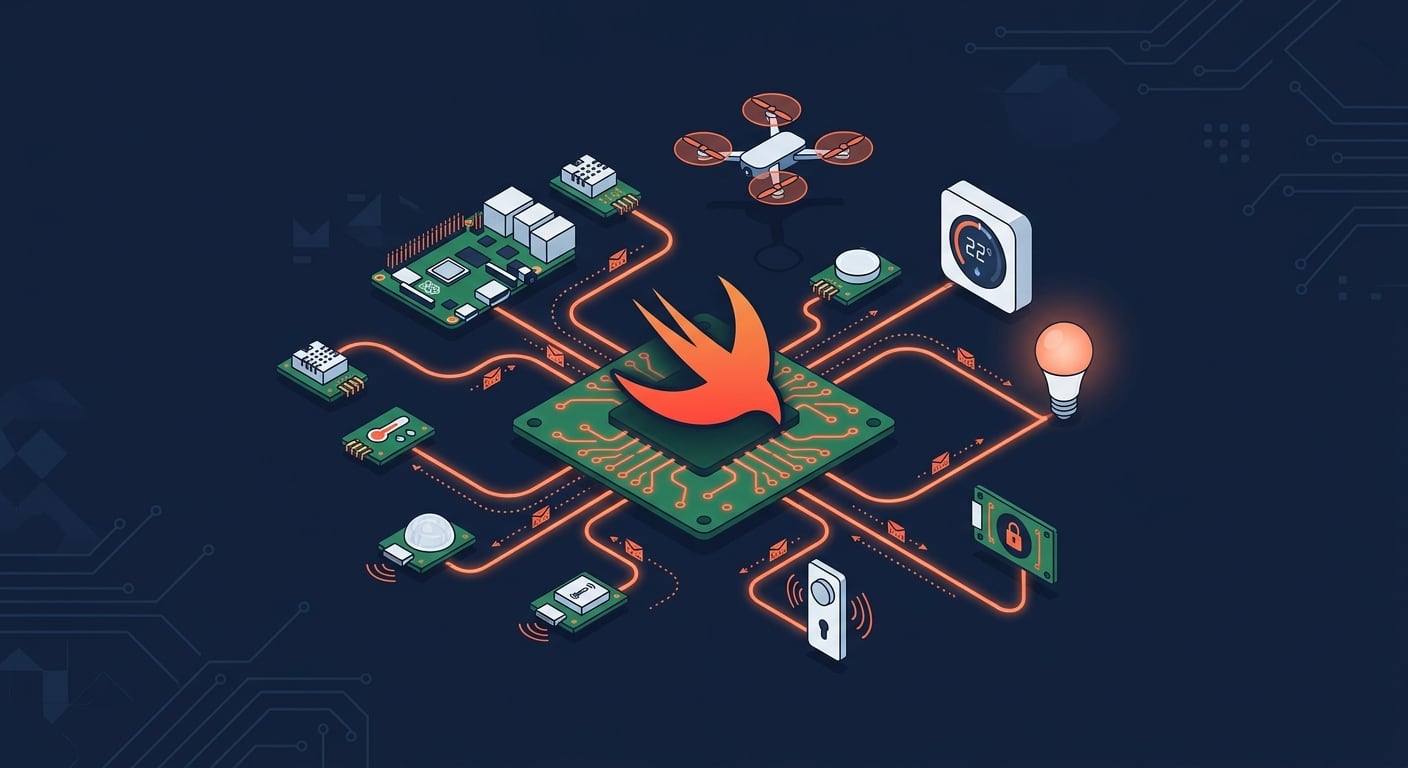
This week, the AWS IoT Device SDK for Swift reached general availability. As a member of the Swift Server Workgroup (SSWG), this one caught my attention. The SDK brings production-ready MQTT 5 connectivity, Device Shadow, Jobs, and fleet provisioning to Swift developers on macOS, iOS, tvOS, and Linux.

Swift on IoT and Edge devices, an AI generated illustration

I’m curious to see what you will build with it. Swift on the server has matured over the past few years, and now it reaches IoT devices too. This connects to a broader trend of running Swift at the edge. WendyOS, for example, is an open-source operating system for physical AI that offers first-class Swift support for deploying apps to NVIDIA Jetson and Raspberry Pi hardware. Between server-side Swift, IoT, and edge computing, the language is showing up in places that would have surprised most people a few years ago.

Now, let’s get into this week’s AWS news.

Headlines
Amazon RDS for SQL Server supports Bring Your Own Media – Customers who migrate SQL Server applications from on-premises environments can now reuse their existing Microsoft SQL Server licenses, including Software Assurance, through Microsoft’s License Mobility program on Amazon RDS. BYOM is integrated with AWS License Manager for tracking license usage and compliance. Read more.

Amazon Cognito now supports multi-Region replication – You can now synchronize user and machine identity data, including credentials, user pool configurations, and federation setups, to a secondary user pool in a standby Region in near real-time. In the event of a disruption in the primary Region, signed-in users continue accessing their applications without re-authenticating, and registered users can sign in with their existing credentials. Multi-Region replication is available as an add-on for user pools in Essentials or Plus feature tiers across 16 Regions. Read more.

GPT-5.5, GPT-5.4, and Codex from OpenAI are now generally available on Amazon Bedrock – You can now use GPT-5.5 and GPT-5.4 in production workloads on Amazon Bedrock and build with Codex for AI-powered software development, with the same security, governance, and operational controls you already use across AWS. GPT-5.5 is the most capable model from OpenAI, excelling at agentic coding, data analysis, and multi-step autonomous tasks. Codex is available through the Codex App, the Codex CLI, and IDE integrations with Visual Studio Code, JetBrains, and Xcode. Pricing matches OpenAI first-party rates, and usage counts toward existing AWS commitments. Read more.

Last week’s launches
Here are some launches and updates from this past week that caught my attention:

For a full list of AWS announcements, be sure to keep an eye on the What’s New with AWS page.

Upcoming AWS events
Learn more about AWS, browse and join upcoming AWS-led in-person and virtual events, startup events, and developer-focused events as well as AWS Summits and AWS Community Days. Join the AWS Builder Center to connect with builders, share solutions, and access content that supports your development.

That’s all for this week. Check back next Monday for another Weekly Roundup!

— seb
❌